 to the View. Set its (ObjectCode) property to "cboViews."
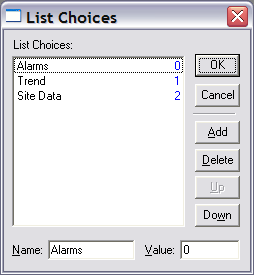
The following example walks through the creation of a simple screen that includes a combo box for selecting different screen files, and a button to launch the selected screen. It demonstrates how to add elements to a combo box in Edit mode and change the screen displayed by a Hyperlink button in Run mode.
Using a Combo Box to Enable Screen Selection and Launch
to the View. Set its (ObjectCode) property to "cboViews."
 in the object bar, then click TheView next to the combo box to place a button.
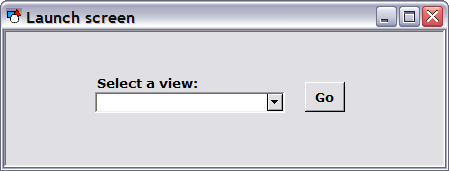
 to create a label above the combo box to read "Select a view." The screen will look something like the one below.
|
Sub cboViews_EventChange() Dim This : Set This = cboViews Select Case This.Value Case 0: btnGo.FilePath = "MYSITE.BSS\SCREENS\Alarms.csf " Case 1: btnGo.FilePath = "MYSITE.BSS\SCREENS\Trend.csf" Case 2: btnGo.FilePath = "MYSITE.BSS\SCREENS\SiteData.csf" End Select End Sub |

|
|
|

